
This weekend was D-Day for my Proxmox HA/Ceph cluster.
Spoiler alert! It actually runs!
And yes, this took way longer than expected, and I had a serious run-in with Mr. Murphy. More on that later.
Photos

All three nodes, side by side.
And yes, I bought another NOX 010 case. It differs from the NOX 010 case I already had.
Great. Now I have three different cases.
In other words: work for the future.

Both switches are up and running: the MikroTik for 10 GbE traffic, the simple TP-Link for Corosync 1 GbE traffic. Works like a charm.
And yes, cable management still needs… attention.
Fuckup 1 on 1
And yes. I made one hell of a fuckup yesterday.
While creating the cluster, I discovered the /etc/hosts files weren’t properly configured. While fixing that, I accidentally (with help from ChatGPT) removed all config files from all containers and VMs.
I only noticed when the web interface on hammer.home.lan came up completely empty, as if Proxmox had just been installed.
I’ll spare you the exact swear words.
Restoration
Luckily, the disks themselves weren’t lost, and just as luckily, I found a storage.cfg file I had copied to ChatGPT only minutes before.
And to my luck, I had a complete overview of all my VMs, including their IDs, memory allocation, configured CPUs, and names.
Then the restoration process began.
Create the correct VM using the corresponding console commands, add the matching disks, and then pray to the Proxmox gods that it would boot properly.
And of course it didn’t. Various panics and error messages on the console, no boot, and tears welled up in my eyes at the thought that all 22 machines might be lost forever.
Then I had an idea.
Why not create a new VM from scratch, see which hardware is selected by default, and apply that same hardware configuration to all my VMs?
And that worked. After five minutes, the first VM booted properly, and it felt good to see my database machine come back to life.
One machine down.
Only 21 to go.
And that took most of my Saturday evening. Naturally.
Lesson learned: always back up all .conf files for all VMs to a separate location.
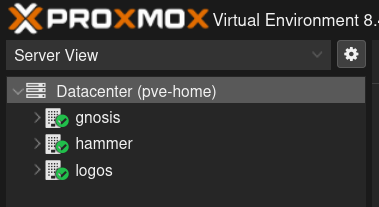
Later that evening, the cluster was finally configured properly, without errors.
Ceph
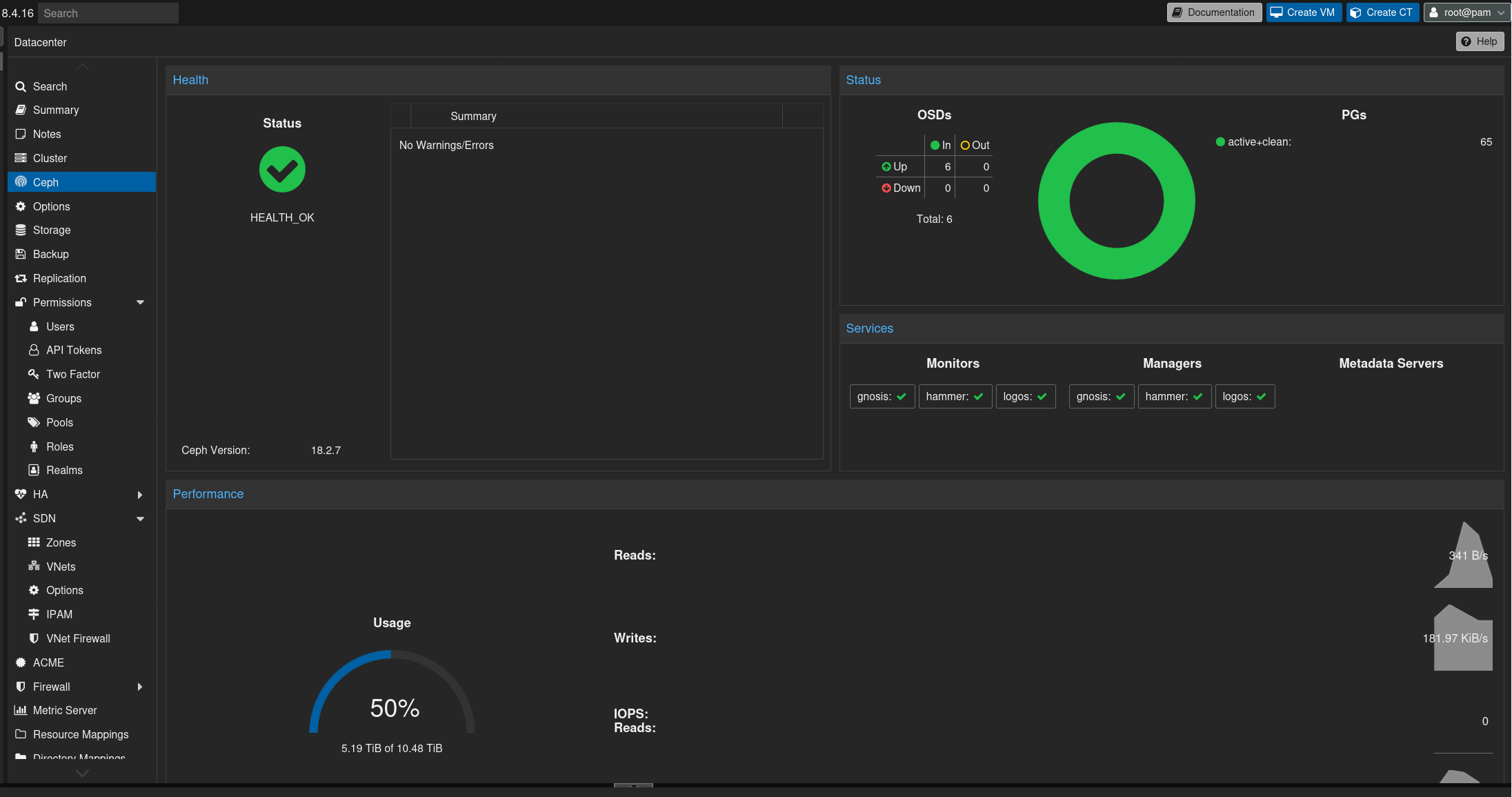
This morning, I started with the Ceph configuration. Install Ceph, add the manager and monitor nodes, add all drives to the storage pool.
No hiccups.
One critical point, though: I have not added Nextcloud to the Ceph cluster.
The Nextcloud instance uses a 1 TB data disk. With Ceph replication across all nodes, that would translate into roughly 3 TB of raw storage consumption in the Ceph pool.
And that is a lot.
And Ceph needs some free space to operate properly. A fill factor of around 70 to 80 percent is about right. With an extra 3 TB, I would already be at that threshold.
So… for now, Nextcloud is not HA, nor is my Linux ISO download station.
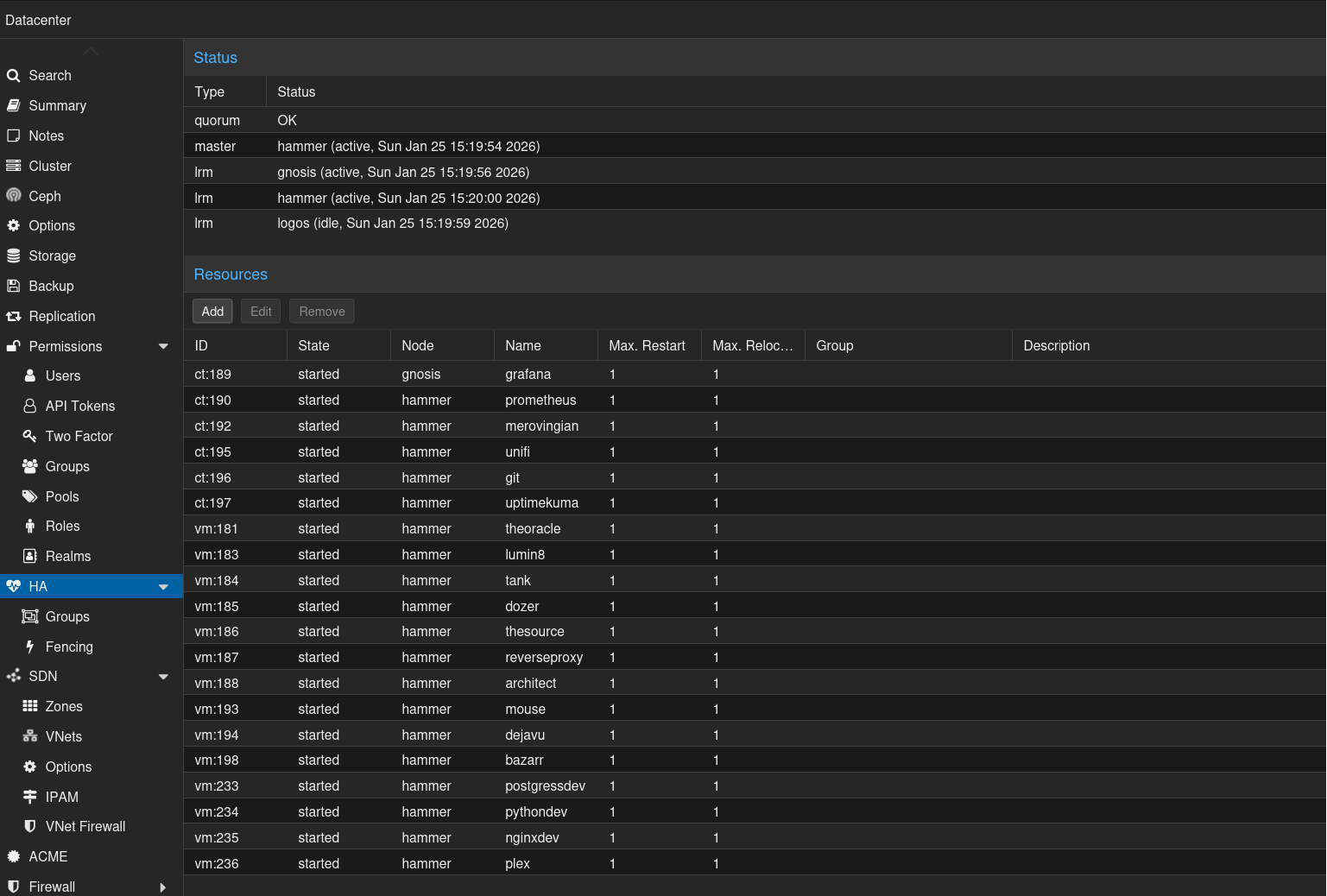
Another interesting fact: once a VM is cluster-aware, you can’t simply turn it off. As soon as it goes down, Proxmox boots it right back up.
Great.
I just wanted to tweak some hardware settings.
Another lesson learned.
Power consumption
And the most important metric: what is the actual power consumption of this cluster, including the network switches?
Well?

During normal use, it consumes only between 70 and 80W.
Those peaks up to 130W are the cluster actively migrating single-node disks into the Ceph cluster.
Yes. I built a three-node cluster with 10 GbE networking, 30 cores, 52 threads, and 352 GB of memory, and it only consumes between 70 and 80W.
And for comparison.
About 15 years ago, I ran two Pentium 4 1.7 GHz machines with 1 GB of memory each as servers for a website. That setup alone consumed almost 200 W continuously.
So I now have an insane amount more cores, threads, and memory, and it consumes far less power!
Lessons learned
Drives
Six 1.92 TB drives for Ceph storage are great, but I should have done my homework and realized earlier that 1.92 TB × 6 would not be sufficient to include my Nextcloud instance as well.
Note to Samsung or Kioxia: if you have second-hand enterprise drives, 3.84 TB or bigger preferred, you know where to find me.
Backups
Before typing the dreaded rm command to delete .conf and .cfg files, I should have double-checked which files were actually included, and preferably backed them up first, instead of effectively doing a proverbial rm -rf /* on my cluster and destroying an otherwise enjoyable evening in the process.
Cable management
Cable management is an issue. Not only inside the machines, but also on the outside.
The amount of cabling required for a “simple” cluster is simply insane.
Next up: a 19-inch rack with proper server cases to finally clean everything up.
And if you want to sponsor a rack and three empty 4U cases, you know where to find me.
Server move
The servers, plus my NAS, are currently in the living room. Not ideal, especially when you consider that the Seagate Exos drives inside the DS923+ are quite loud.
So another server move will commence in a few days, when I power down the cluster and move everything to another floor of the house.
Also important: keeping the WAF (Wife Acceptance Factor) happy in the process.
If you enjoyed this Proxmox series, let me know in the comments!
Brain, a Proxmox “expert” :P, out!